
Back-of-House Cost Intelligence
Your P&L tells you what happened. Chef Cost Lab helps you understand why.
Find where your food cost is leaking, see which dishes make you money and which ones don't, and turn every variance into a clear next step — in one monthly report.
The problem
Knowing your food cost isn't enough.
Your monthly P&L shows the result, not the cause. Finding where food cost is leaking usually means digging across systems and spreadsheets.
Chef Cost Lab brings your back-of-house numbers together so you see exactly where to look next.
How it works
One month. One clear picture.
- 01
Bring your numbers
Enter consolidated monthly BOH results from the systems you already use.
- 02
Compare
See Actual vs Budget and previous periods side by side.
- 03
Identify
Spot the cost areas and variances that need attention.
- 04
Investigate
Know where to focus your operational review.
Keep the tools you already use. Chef Cost Lab complements your existing restaurant technology — it doesn't replace it.
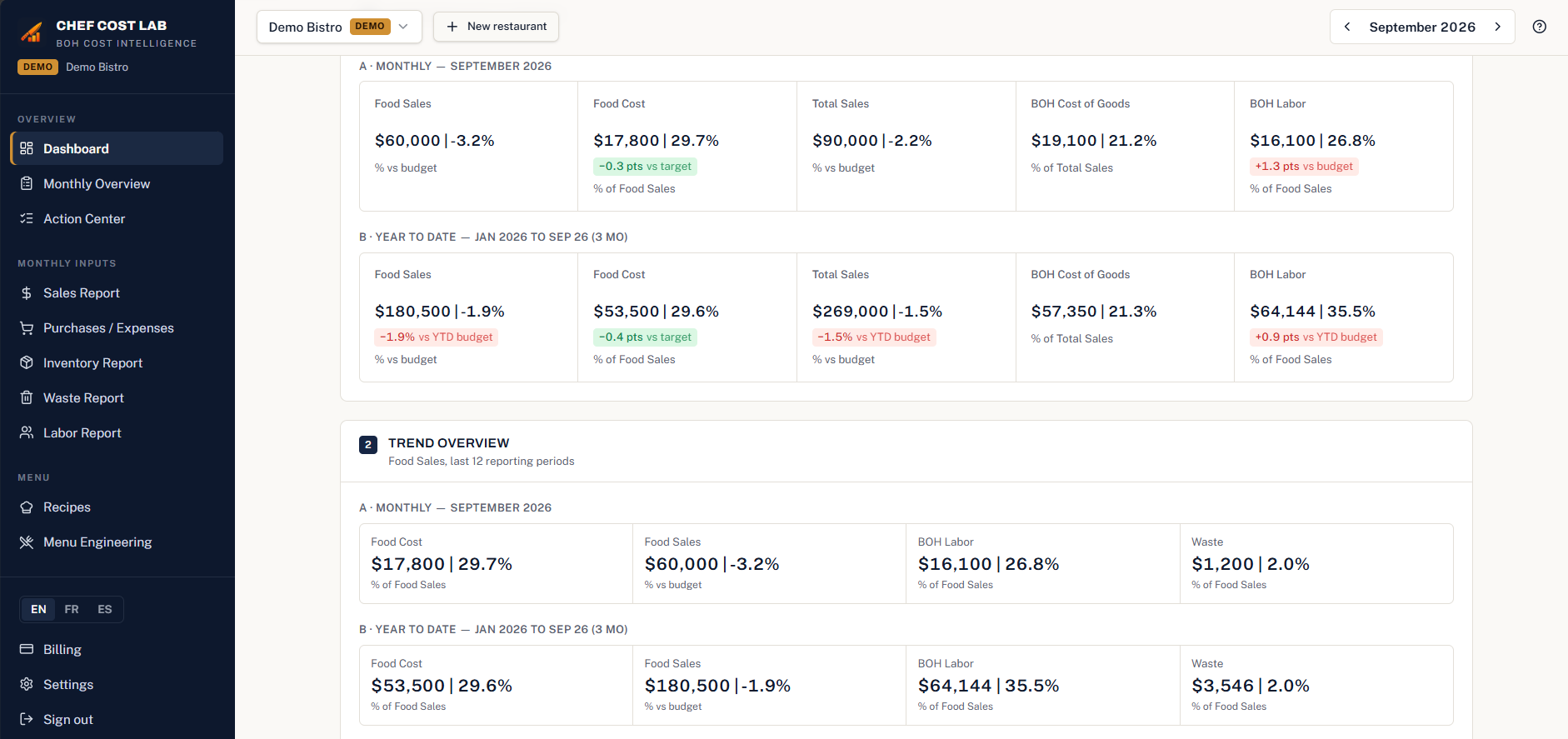
See it in action
Real screens from the app.
Features
Everything you need to protect your margin.
Food Cost
Find where your food cost is leaking against your target.
Purchases
See what you really spend, by your own categories.
Inventory
Track food and total inventory feeding real COGS.
Waste
Know what you throw away — amount and share of total waste.
BOH Labor
Catch labor overruns against budget before they stack up.
Recipes
Know the food cost % and margin of every dish.
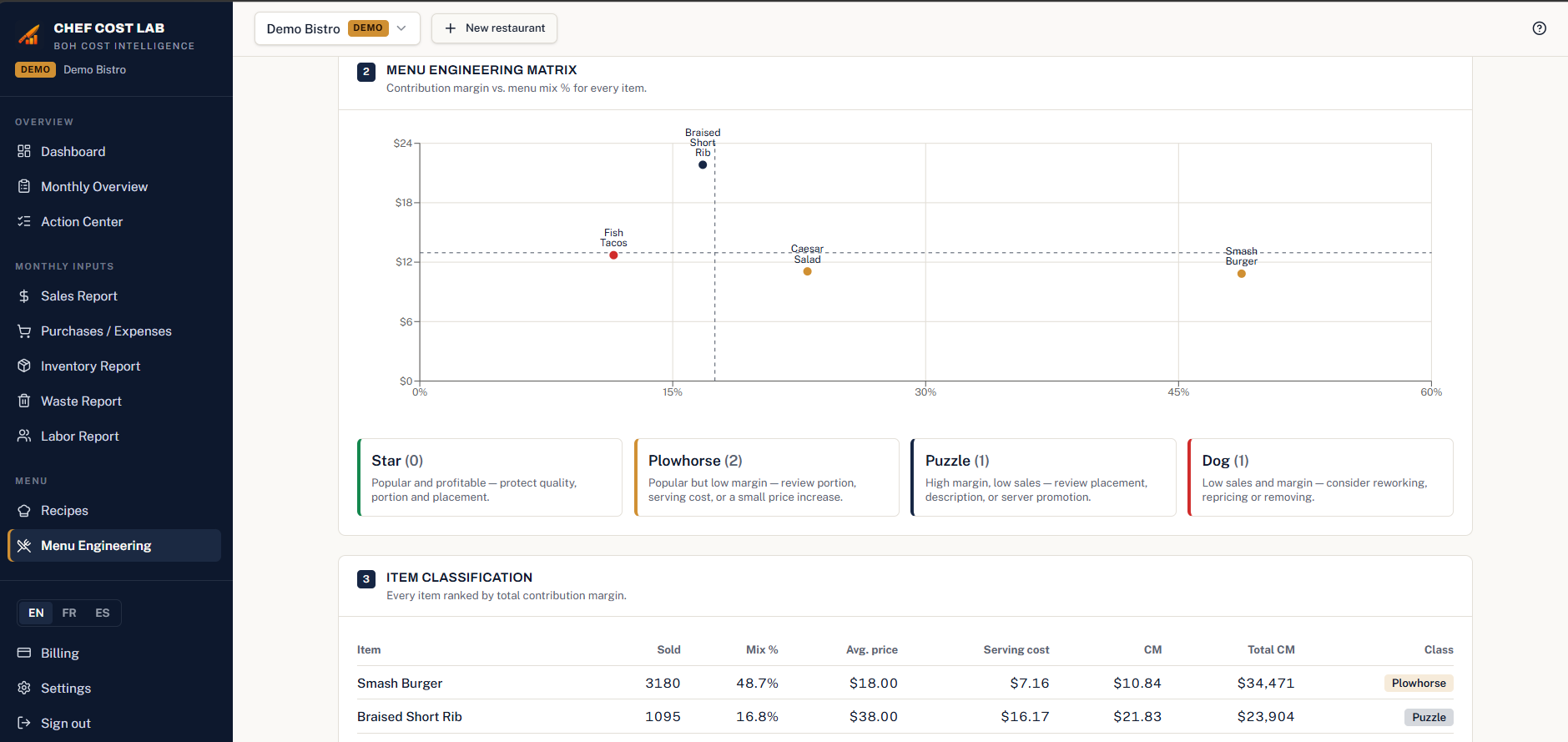
Menu Engineering
See which dishes make you money and which ones don't.
Action Center
Turns variances into trackable next steps.
Monthly Performance
Your whole month — sales, costs, labor, prime cost — at a glance.
Annual Budget
Build your full-year budget month by month from your own history, using your targets, then compare actual vs budget all year.
And plan ahead: build next year's budget in minutes from your own numbers, instead of rebuilding a spreadsheet.
How do I build my annual budget?
Pick the year and a base — same month last year, last 12 months average, or your year-to-date trend — add a growth %, then review the monthly proposal. Every value is editable before you save, and the saved budgets appear in your Dashboard and report comparisons as Actual vs Budget.
Available in English, French, and Spanish.
What good looks like
Reference ranges to compare your month against. Every operation is different — use these as a starting point, not a pass/fail line.
Food Cost
28–35%, benchmark 30%
Food used ÷ food sales
BOH Cost of Goods
34–38% of Food Sales
Back-of-house cost of goods ÷ food sales
BOH Labor
10–18% of Total Sales
Back-of-house labor ÷ total sales
Waste
2–4% (well-run target; industry average 4–10%)
Waste ÷ food sales
Inventory
8–16% overall; 11–16% with weekly delivery (at 32–34% food cost)
Ending food inventory ÷ food sales
Prime Cost is Food Cost plus BOH Labor, as a % of Total Sales. It has no single target — it follows from your food and labor targets.
Pricing
One simple price.
Monthly
$9.99 CAD / month per restaurant
14-day free trial. No card required to start.
No card required to start. Add a card only if you continue after 14 days.
Annual
$95.88 CAD / year per restaurant
14-day free trial. No card required to start.
No card required to start. Add a card only if you continue after 14 days.
One price per restaurant. Invite your team free — Manager and Viewer roles at no extra cost.
Prices are in Canadian dollars (CAD), before tax. Sales tax is added at checkout from your billing address — in Canada, GST/HST and PST where it applies.
Insight engine
From numbers to action.
Chef Cost Lab doesn't claim to know the exact cause of a variance. It highlights areas to investigate and potential cost drivers, so your review starts in the right place.
- Monthly Results
- Actual vs Budget
- Identify Variance
- Areas to Investigate
- Recommended Focus
Works with your current process
Keep the tools you already use.
Who it's for
Built from a chef's perspective.
- Executive Chefs
- Chefs
- F&B Leaders
- Restaurant Managers
- Owners & Operators
Built from the kitchen up.
The method
The Chef Cost Lab Method
- 01
Collect
Gather the month's consolidated BOH numbers.
- 02
Compare
Measure against budget, target and last month.
- 03
Identify
Flag the variances beyond your thresholds.
- 04
Investigate
Review the potential cost drivers on the floor.
- 05
Act
Track the recommended focus with an owner and date.
- 06
Measure
Check next month whether the result moved.
FAQ
Questions about budgets and imports
How do I build my annual budget?
Pick the year and a base — same month last year, last 12 months average, or your year-to-date trend — add a growth %, then review the monthly proposal. Every value is editable before you save, and the saved budgets appear in your Dashboard and report comparisons as Actual vs Budget.
What does the Annual Budget Tool propose?
Month by month, Food Sales and Total Sales, then Food Cost, BOH Labor, BOH Cost of Goods, Ending Inventory, and Waste in dollars, all calculated from the targets you set. Prime Cost is derived from Food Cost plus BOH Labor. If a month has no history, it stays blank for you to fill in — it is never guessed or set to $0.
Can I change the budget after saving it?
Yes. Saved budgets can be reopened and edited at any time. Changing a budget dollar amount never changes your target % — targets and budgets are separate.
Can I import my month-end data instead of typing it all in?
Yes. Upload CSV files — sales from Lightspeed, and purchases and inventory from BevSpot (CSV, .xls, and .xlsx accepted for BevSpot). You review a preview before anything is saved, so month-end capture is much faster than entering every number by hand.
Know your costs. Protect your profit.
Start your 14-day free trial and bring your monthly back-of-house performance into one place.